
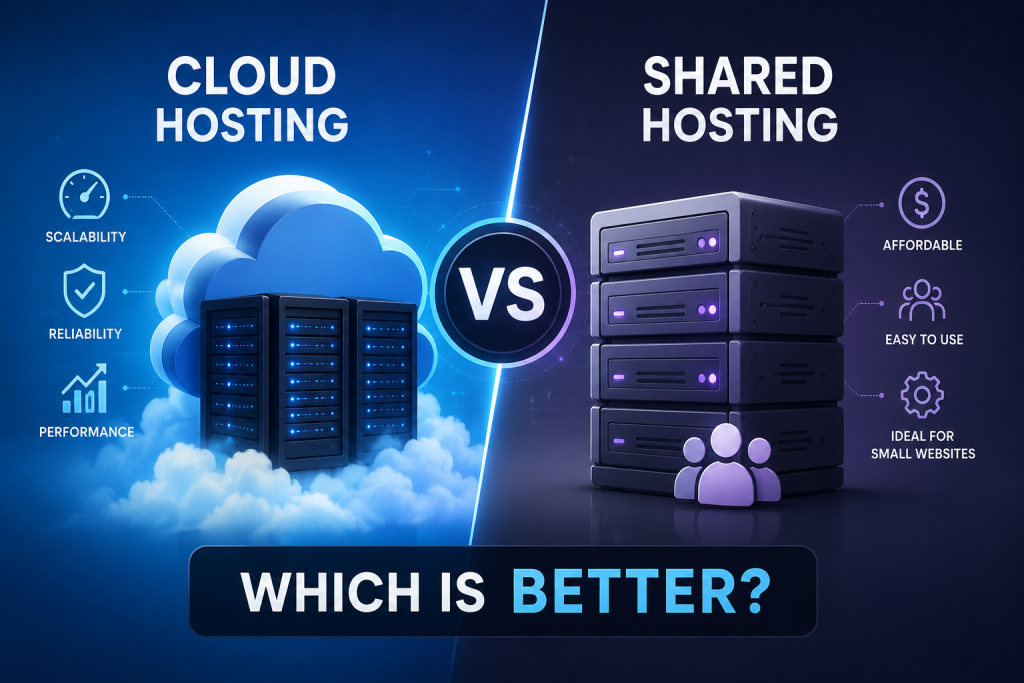
Choosing the right web hosting is one of the most important decisions you will make when launching or growing a website. Your hosting environment directly affects website speed, uptime, security, scalability, and overall user experience. Whether you are starting a personal blog, a WordPress site, an online portfolio, or a business website, the hosting plan you choose can influence both performance and long-term costs.
For many beginners, shared hosting is the default starting point because it is affordable and easy to manage. However, cloud hosting has become increasingly popular due to its flexibility, scalability, and ability to handle growing traffic demands.
So, cloud hosting vs shared hosting—which is better? The answer depends on your website’s traffic, budget, technical requirements, and future growth plans.
In this guide, we will compare shared hosting and cloud hosting across performance, security, scalability, pricing, ease of use, WordPress hosting, and small business use cases so you can choose the hosting solution that best fits your needs.
What Is Shared Hosting?
Shared hosting is a web hosting environment where multiple websites are hosted on the same physical server. All websites on that server share resources such as CPU, RAM, storage, and bandwidth.
Because many customers use the same server, hosting providers can keep costs low, making shared hosting one of the most affordable hosting options available.
The hosting provider typically manages most server-level tasks, including operating system updates, hardware maintenance, security patches, and basic server configuration.
How Shared Hosting Works
Imagine an apartment building where many tenants live in the same building and share common infrastructure. In shared hosting, one physical server hosts many websites.
Each website receives an allocated portion of server resources. If another website on the same server suddenly receives a large amount of traffic or uses excessive resources, the performance of neighboring websites may be affected.
Advantages of Shared Hosting
- Low cost and affordable monthly pricing
- Beginner-friendly setup and management
- Easy website deployment
- Managed server environment
- Suitable for small websites, blogs, and portfolios
- Often includes one-click WordPress and CMS installation
Disadvantages of Shared Hosting
- Limited CPU and RAM resources
- Performance can be affected by other websites
- Limited scalability
- Less server-level control
- Not ideal for consistently high-traffic websites
What Is Cloud Hosting?
Cloud hosting uses a network of interconnected servers rather than relying on a single physical server. Instead of placing your website entirely on one server, cloud infrastructure distributes resources across multiple servers.
This approach provides greater flexibility and allows hosting resources to be allocated more efficiently.
For beginners, it helps to think of cloud hosting as a system where multiple computers work together to host your website rather than depending on one machine alone.
How Cloud Hosting Works
Your website runs on a cloud infrastructure that can draw resources from multiple servers. If one server experiences problems, workloads may be shifted to another server depending on the provider’s architecture.
Cloud hosting plans often allow resources such as CPU, RAM, and storage to be increased as your website grows.
Advantages of Cloud Hosting
- Better scalability
- Strong performance potential
- Flexible resource allocation
- Better handling of traffic spikes
- High availability potential
- More server control depending on the hosting plan
Disadvantages of Cloud Hosting
- Usually more expensive than basic shared hosting
- May require more technical knowledge
- Pricing structures can be more complex
- Unnecessary for many small websites
Cloud Hosting vs Shared Hosting: Key Differences
| Factor | Shared Hosting | Cloud Hosting |
|---|---|---|
| Infrastructure | Single shared server environment | Network/cloud infrastructure |
| Resource Allocation | Shared | More flexible depending on plan |
| Performance | Suitable for smaller sites | Better suited to demanding workloads |
| Scalability | Limited | High |
| Traffic Handling | Moderate | Better for traffic spikes |
| Reliability | Depends on server | Potentially higher |
| Security | Standard managed security | Can offer stronger isolation and options |
| Control | Limited | Usually more control |
| Technical Difficulty | Beginner-friendly | Moderate to advanced |
| Pricing | Usually cheaper | Usually more expensive |
| Best For | Small websites | Growing or high-traffic websites |
The biggest difference between shared hosting vs cloud hosting is resource allocation. In shared hosting, your website shares server resources with many other websites. In cloud hosting, resources are generally more flexible and can often be scaled when needed.
Cloud hosting also tends to handle traffic spikes better because the underlying infrastructure can distribute workloads across multiple servers. Shared hosting, while perfectly adequate for many small websites, can become restrictive as traffic and resource requirements increase.
However, cloud hosting is not automatically the better option for every website. If your site receives relatively little traffic and you want the lowest possible hosting cost, shared hosting may provide excellent value.
Which Is Faster: Cloud Hosting or Shared Hosting?
Performance depends on several factors, including:
- CPU and RAM availability
- Resource contention
- Website traffic
- Server configuration
- Caching and CDN implementation
- Database optimization
- Application efficiency
Cloud hosting often provides stronger performance potential because resources are typically more available and less affected by neighboring websites.
Shared hosting can perform very well for lightweight websites with moderate traffic, especially when the hosting provider uses modern hardware and optimized server configurations.
Which Hosting Is Better for Website Speed?
Choose shared hosting if your website is small, lightweight, and receives low-to-moderate traffic.
Choose cloud hosting if your website experiences traffic fluctuations, uses resource-intensive applications, or requires consistently strong performance.
It is important not to assume that cloud hosting is automatically faster in every situation. A well-optimized shared hosting plan from a high-quality provider may outperform a poorly configured cloud environment.
Which Is Better for High Traffic?
For websites expecting significant traffic growth, cloud hosting generally offers greater scalability.
Cloud hosting handles:
- Sudden traffic spikes
- Seasonal traffic increases
- Viral content
- E-commerce traffic surges
- Growing resource requirements
Shared hosting works well for normal traffic levels, but as visitor numbers increase, limited server resources can become a bottleneck.
If your website generates revenue, captures leads, or experiences unpredictable traffic patterns, cloud hosting is usually the safer long-term choice.
Which Is More Secure: Cloud Hosting or Shared Hosting?
Both hosting types can be secure when managed by a reputable provider.
Shared hosting typically includes:
- SSL support
- Firewalls
- Malware scanning
- Server updates
- Basic security monitoring
Cloud hosting may provide:
- Better account isolation
- More advanced security controls
- Flexible firewall configuration
- Enhanced backup options
- Additional monitoring capabilities
Cloud hosting is not automatically 100% secure. Actual security depends heavily on the hosting provider, server configuration, software updates, access controls, and backup practices.
For most small websites, managed shared hosting provides adequate security. Businesses with stricter security requirements may benefit from cloud hosting’s additional configuration options and isolation.
Which Is Cheaper: Cloud Hosting or Shared Hosting?
In most cases, shared hosting pricing is significantly lower than cloud hosting pricing.
Shared hosting providers can offer inexpensive plans because many customers share the same server infrastructure.
Cloud hosting generally costs more because it uses distributed infrastructure and provides greater flexibility and scalability.
When Is Shared Hosting Better for Your Budget?
Shared hosting is usually the better financial choice when:
- You are launching your first website
- Traffic is relatively low
- Budget is limited
- Technical requirements are simple
When Is Cloud Hosting Worth the Extra Cost?
Cloud hosting may justify its higher price when:
- Website performance directly affects revenue
- Traffic fluctuates significantly
- You need scalable resources
- Downtime could hurt your business
- Your website uses resource-intensive applications
Which Is Easier to Manage?
For beginners, shared hosting is generally much easier to manage.
Most shared hosting plans include:
- User-friendly control panels
- One-click software installation
- Automatic updates
- Basic backups
- Managed server maintenance
Cloud hosting can range from very beginner-friendly managed cloud services to highly technical infrastructure platforms that require server administration skills.
If you prefer minimal technical involvement, shared hosting is usually the simpler option.
Cloud Hosting vs Shared Hosting for WordPress
Both hosting types can run WordPress successfully.
Shared Hosting for WordPress
Shared hosting is often ideal for:
- New WordPress websites
- Personal blogs
- Portfolio websites
- Small business sites
- Content websites with low-to-moderate traffic
- Beginners with limited budgets
Cloud Hosting for WordPress
Cloud hosting becomes attractive when:
- Traffic is growing rapidly
- You run a WooCommerce store
- You use many resource-intensive plugins
- Your website has a large database
- Performance is a priority
- You expect future scaling needs
For many users, the best hosting for WordPress depends on website size and traffic. A new blog may do perfectly well on shared hosting, while a growing WooCommerce store often benefits from cloud hosting’s scalability and resource flexibility.
Cloud Hosting vs Shared Hosting for Small Business
Small businesses have different hosting needs depending on their growth stage.
Choose shared hosting if:
- Your website is relatively small
- Traffic is low or moderate
- Budget is limited
- You mainly need an online presence
- Technical requirements are simple
Consider cloud hosting if:
- Your business expects rapid growth
- The website generates leads or sales
- Traffic fluctuates significantly
- Downtime has a meaningful business impact
- You require more server resources
For many startups, shared hosting is a practical starting point. As the business grows, migrating to cloud hosting often becomes easier than starting with an unnecessarily expensive infrastructure.
Cloud Hosting vs Shared Hosting: Pros and Cons
Shared Hosting
Pros
- Affordable
- Easy to use
- Beginner-friendly
- Good for small websites
Cons
- Limited resources
- Limited scalability
- Shared server resources
- Less control
Cloud Hosting
Pros
- Scalable
- Flexible resource allocation
- Better suited for growth
- Strong performance potential
Cons
- Higher cost
- Can be more complex
- Pricing may vary
- May be unnecessary for simple websites
Cloud Hosting vs Shared Hosting: Which Is Better?
The direct answer is that neither option is universally better.
Choose shared hosting if:
- You are launching your first website
- Traffic is relatively low
- You want the lowest hosting cost
- You do not need advanced server resources
- You prefer simple management
Choose cloud hosting if:
- Your website is growing quickly
- You expect traffic spikes
- Performance and scalability are important
- You run an e-commerce store or demanding application
- Resource limitations could affect your business
The right choice depends on your current website requirements and your expected future growth.
Frequently Asked Questions
Is cloud hosting better than shared hosting?
Cloud hosting is generally better for scalability, traffic handling, and resource flexibility. Shared hosting is often better for beginners, small websites, and tight budgets.
Is cloud hosting faster than shared hosting?
Not always. Cloud hosting often has stronger performance potential, but actual speed depends on the hosting provider, server configuration, website optimization, and workload.
Is shared hosting good for beginners?
Yes. Shared hosting is one of the easiest hosting options for beginners because the provider manages most server-level tasks and usually provides a simple control panel.
Can I upgrade from shared hosting to cloud hosting?
Yes. Many hosting providers allow customers to migrate or upgrade from shared hosting to cloud hosting as traffic and resource requirements increase.
Is cloud hosting worth the extra cost?
Cloud hosting is usually worth the additional cost when your website needs better performance, higher scalability, flexible resources, or improved reliability.
Which is better for WordPress: cloud or shared hosting?
Shared hosting is usually sufficient for new WordPress websites and smaller blogs. Cloud hosting is often the better choice for growing WordPress sites, WooCommerce stores, and high-traffic websites.
Which hosting is better for high-traffic websites?
Cloud hosting is generally better for high-traffic websites because it provides greater scalability and handles traffic spikes more effectively.
Can I use cloud hosting for a small website?
Yes. A small website can use cloud hosting, although it may be unnecessary if your traffic is low and your budget is limited.
Final Verdict: Cloud Hosting vs Shared Hosting
When comparing cloud hosting vs shared hosting, the best option depends on your website’s specific needs.
Shared hosting offers affordability, simplicity, and ease of use, making it an excellent starting point for beginners, personal blogs, portfolio websites, and many small business sites.
Cloud hosting provides greater scalability, flexibility, and resource capacity, making it a strong choice for growing businesses, WooCommerce stores, high-traffic websites, and applications that require consistent performance.
Rather than searching for a universally better hosting type, choose the solution that fits your current requirements while considering how your website is likely to grow over the next few years. Starting with shared hosting and upgrading to cloud hosting when your traffic and business demands increase is often a practical and cost-effective strategy.